{{ 'fb_in_app_browser_popup.desc' | translate }} {{ 'fb_in_app_browser_popup.copy_link' | translate }}

{{ 'in_app_browser_popup.desc' | translate }}

新加入會員滿千折百✨全館899超商免運費🛒

官方LINE好友募集中🤍加入領取50元購物金✨

𝟔𝟏𝟖年中慶開跑🎊最熱銷手機殼配件組合on sale🔥
9 8 7 6 5 4 3 2 1 0
9 8 7 6 5 4 3 2 1 0
9 8 7 6 5 4 3 2 1 0
Days
:
9 8 7 6 5 4 3 2 1 0
9 8 7 6 5 4 3 2 1 0
Hours
:
9 8 7 6 5 4 3 2 1 0
9 8 7 6 5 4 3 2 1 0
Minutes
:
9 8 7 6 5 4 3 2 1 0
9 8 7 6 5 4 3 2 1 0
Seconds
Shop now

新加入會員滿千折百✨全館899超商免運費🛒

官方LINE好友募集中🤍加入領取50元購物金✨

𝟔𝟏𝟖年中慶開跑🎊最熱銷手機殼配件組合on sale🔥
9 8 7 6 5 4 3 2 1 0
9 8 7 6 5 4 3 2 1 0
9 8 7 6 5 4 3 2 1 0
Days
:
9 8 7 6 5 4 3 2 1 0
9 8 7 6 5 4 3 2 1 0
Hours
:
9 8 7 6 5 4 3 2 1 0
9 8 7 6 5 4 3 2 1 0
Minutes
:
9 8 7 6 5 4 3 2 1 0
9 8 7 6 5 4 3 2 1 0
Seconds
Shop now

新加入會員滿千折百✨全館899超商免運費🛒

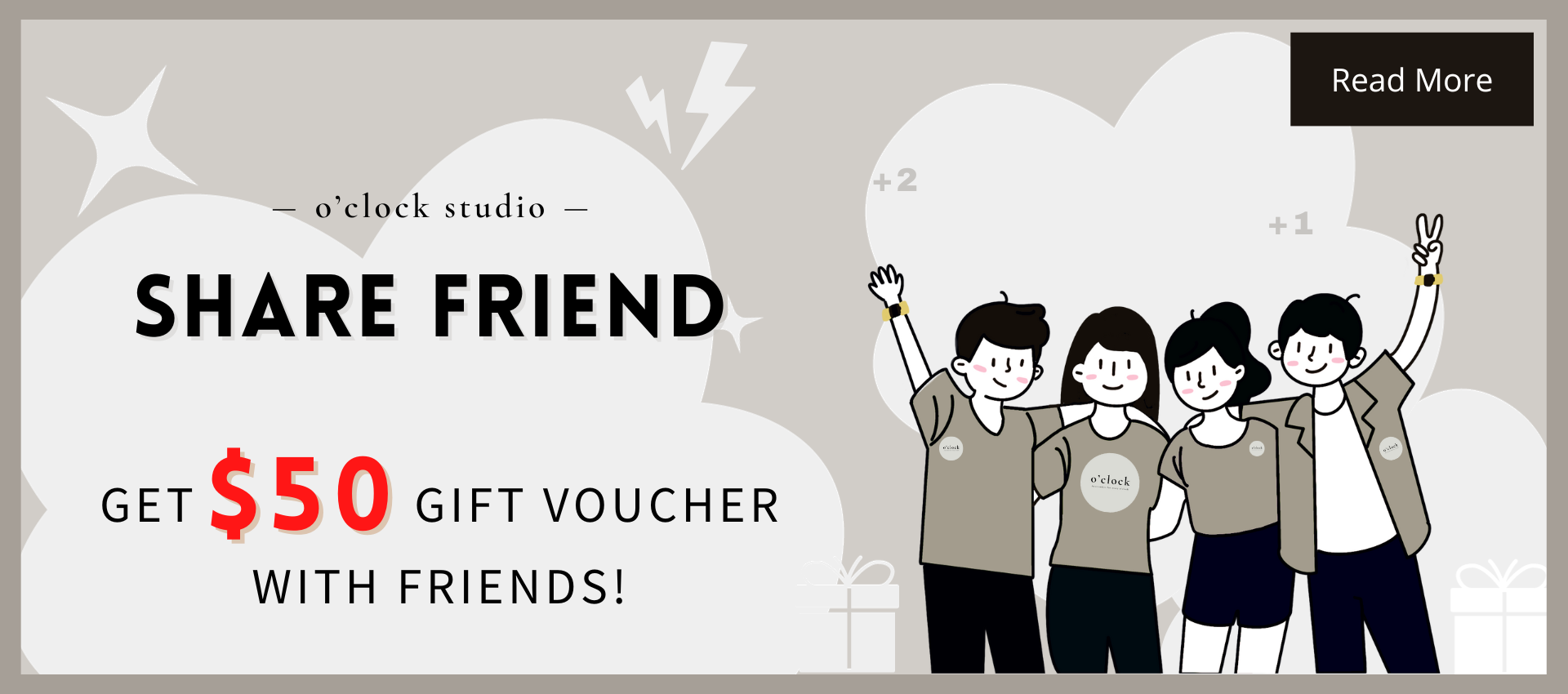
Friend recommendation rewards· Enjoy discounts together

Do you know that "sharing is power"?

Because sharing happiness can double happiness!

Share it with a friend who has not placed an order on the official website, and ask him to use "your exclusive link" to place an order, you and himYou can enjoy the discount!


Follow the following steps and you can become o'clock studio The best spokesperson, get ready, let’s get the bonus together!

If you are a registered friend, please see the "Exclusive Link Sharing Tutorial" section

If you are an unregistered friend, after getting the friend's exclusive link, please slide to the "Instructions for using exclusive links for new friends" section below.

How can regular members earn bonuses? Exclusive link to share teaching

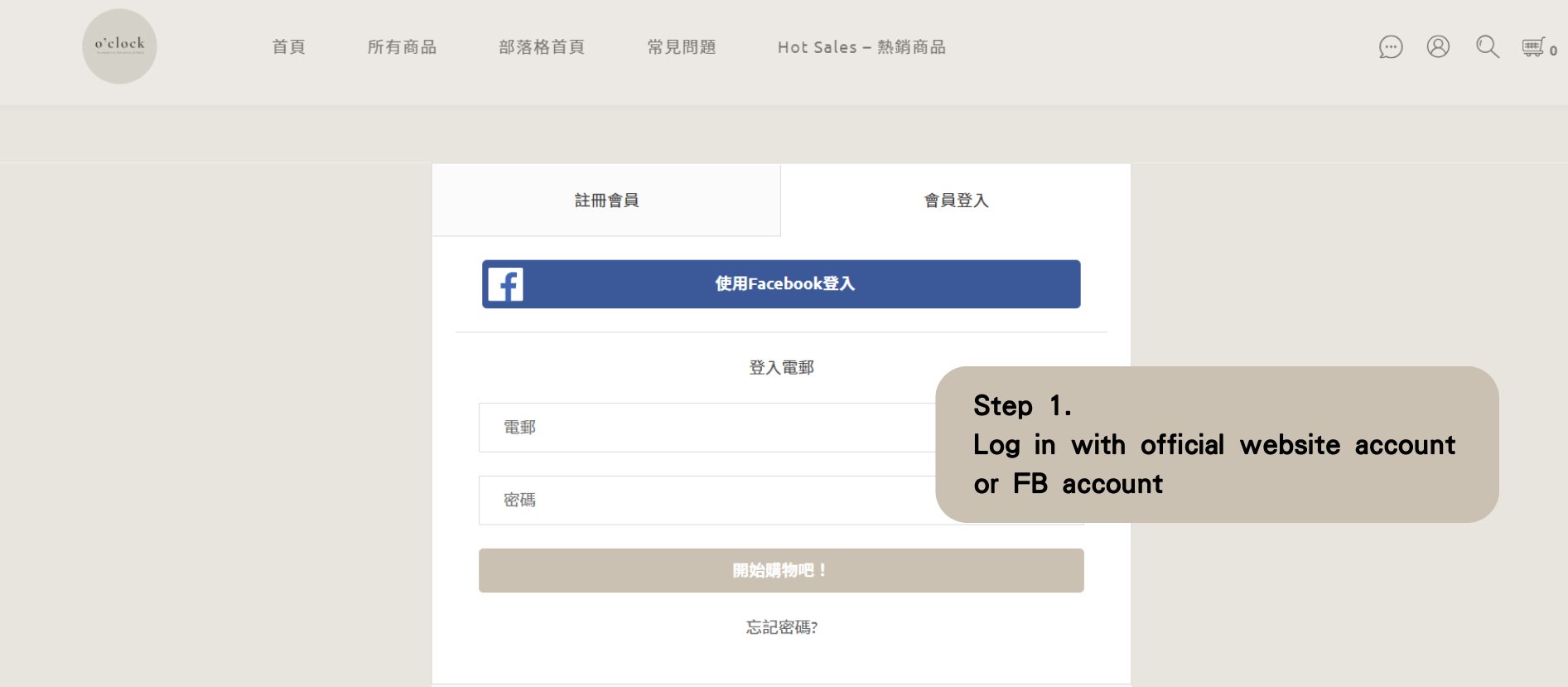
Go to o'clock studio Official website, find the [little head] icon on the upper right, click on the icon to enter the first step.

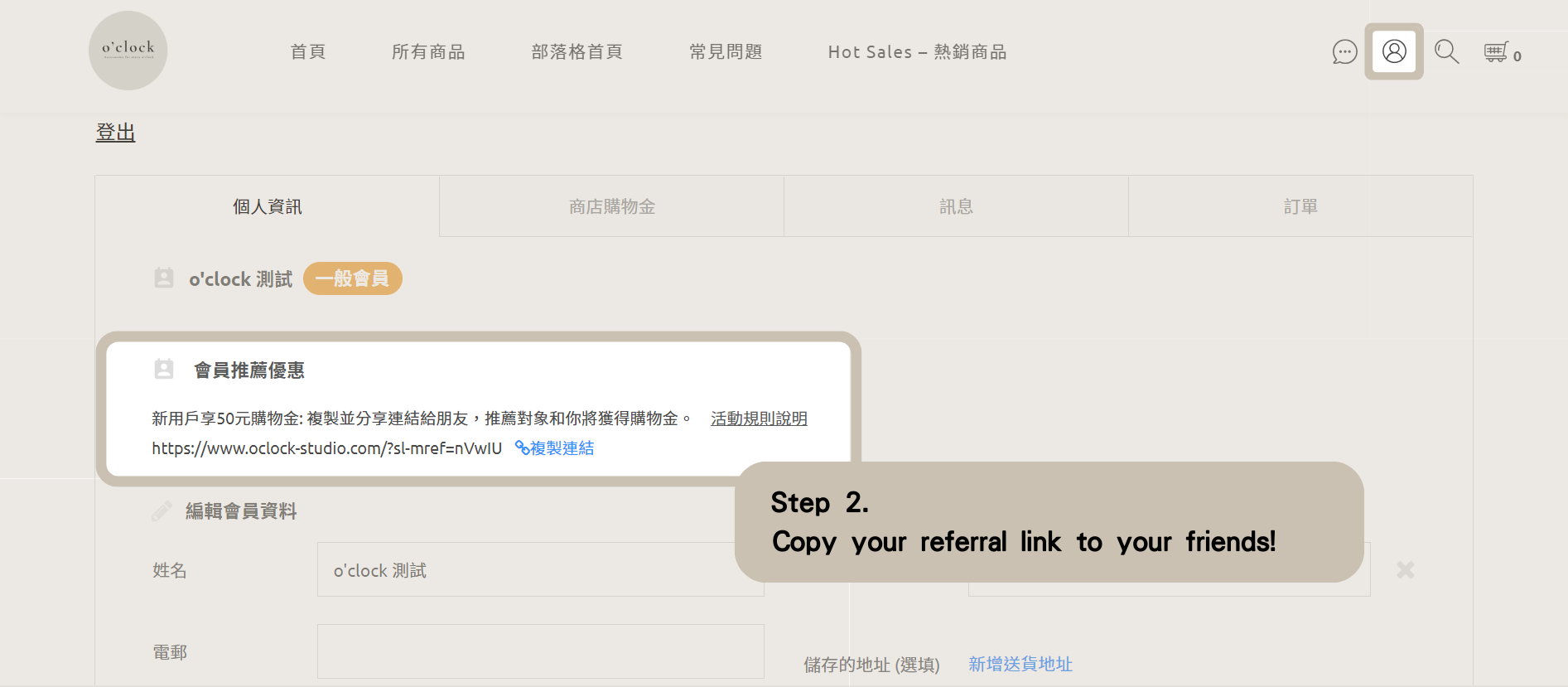
After successfully logging in, find the [little head] icon on the upper right. After entering, you will see the picture below! You can directly copy your own referral link to your friends!

Then, as long as the new friend registers through the exclusive link you shared, and completes the order.

The system will automatically transfer the 50 yuan bonus to your account after the new friend's order status changes to "Order Completed"!

Isn’t it very simple? Log in quickly to get the sharing bonus!

How do new friends earn bonuses? Instructions for using new friend link

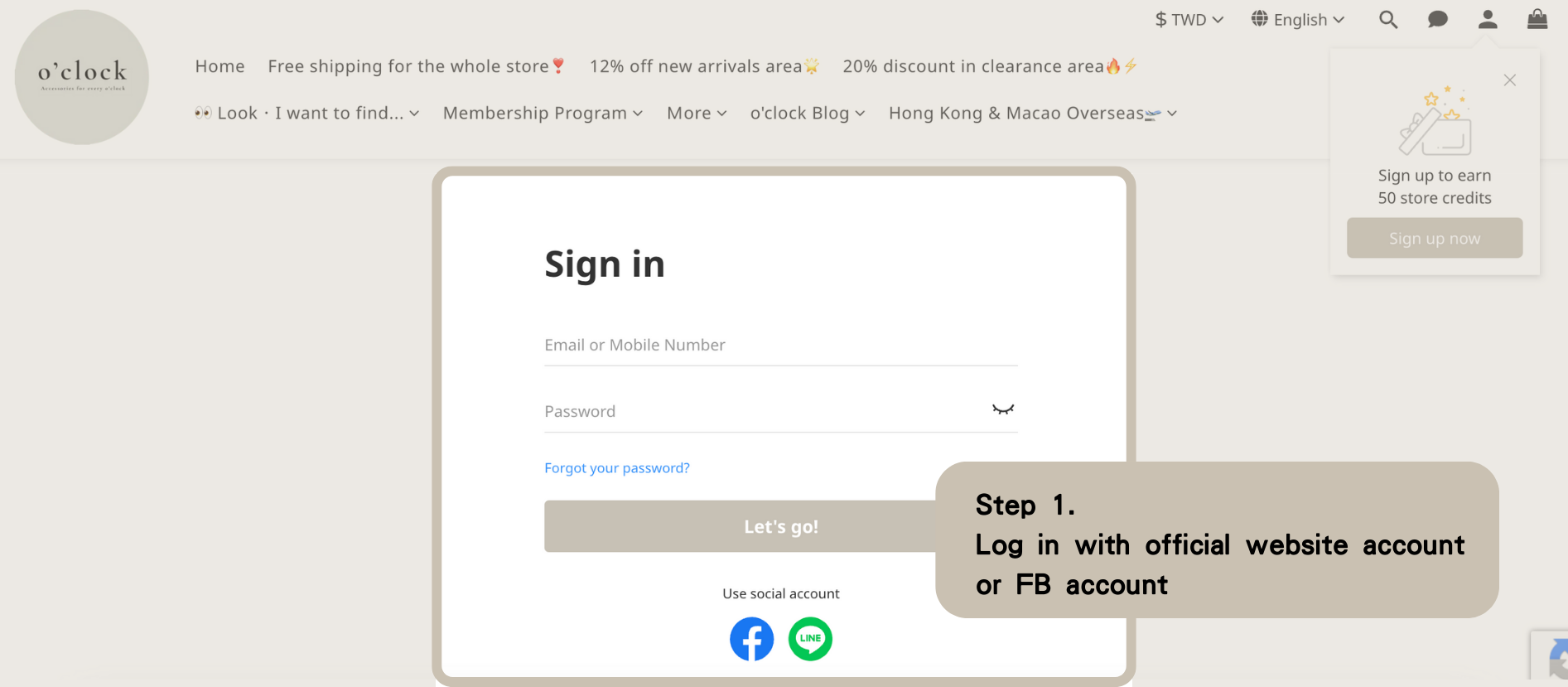
After clicking on the exclusive link given by your friend, find the [little head] icon on the upper right, click on the icon to enter the first step.

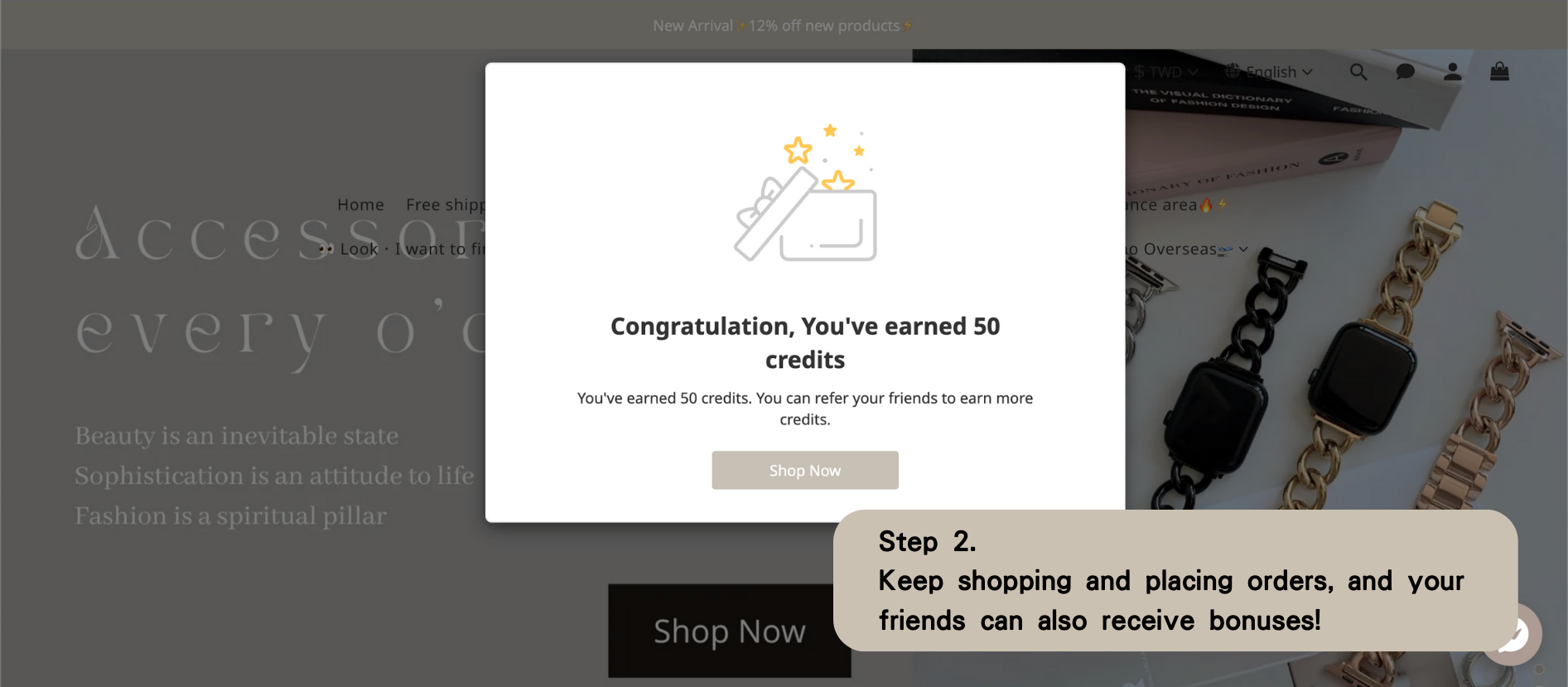
After successful registration, you will see the picture below! You can start shopping, complete your order, and let your friends share the $50 bonus!

Isn’t the operation method very simple? If you have any questions, you are welcome to ask the online customer service.

★Tips:Your exclusive link can be shared with different people, but any new friend who joins can only get the discount once!